
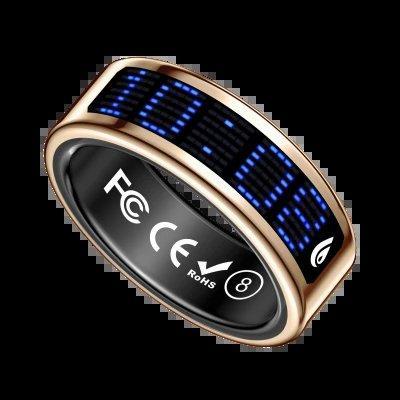
A smart ring looks like ordinary jewellery, but it quietly tracks the things that matter for your health: sleep, heart rate, activity and more. Setting up a health smart ring for the first time is not difficult, but a few small steps in the first week make the difference between a device that gives useful information and one that sits in a drawer after a month.
Kamunion makes smart rings in a wide range of styles, including ceramic, carbon fibre, stainless steel and crystal designs, with models that add health tracking and even AI recording and wellness features. Whatever the style, the setup follows the same pattern, and this guide walks through it in order. The ring itself is small and light, and most people forget they are wearing it within a day or two, which is exactly the point of a device meant to be worn all the time.
Start with the fit and the first charge
A smart ring only works well if it fits properly. It should sit snugly enough that its sensors stay in contact with your finger, but not so tightly that it leaves a mark or feels uncomfortable after a few hours. Try it on the finger you plan to wear it on, and wear it for an afternoon before deciding, because fingers change size slightly through the day. If the ring is loose, the readings will be unreliable, and no app setting can fix that.
Charge the ring fully before the first use, and learn how the charger works while you still have patience for it. Most rings charge on a small cradle or case, and a full charge should last several days, though that depends on how often the sensors run. Getting into the habit of charging it while you shower or eat breakfast is the simplest way to keep it running without thinking about it.
Pair the ring and set up the app
Pairing is usually a matter of opening the ring’s app, turning on Bluetooth, and following the prompts to find and connect the ring. Keep the ring close to the phone during this step, and make sure the phone’s Bluetooth and location permissions are switched on if the app asks for them. If pairing fails the first time, turning Bluetooth off and on again, or restarting the phone, solves the problem more often than any other step.
Once paired, the app will ask for basic information such as your age, height, weight and activity level. Answer honestly, because the app uses those details to make sense of your heart rate and activity data. A health smart ring is only as accurate as the information it starts with, so guessing at your details will make every reading that follows slightly wrong. If the app asks for permission to send notifications, consider allowing them, since a gentle reminder to move or to charge the ring is often what keeps the habit going.
What to wear, and what to expect in week one
For the first week, wear the ring as much as you can, including overnight, because sleep tracking is one of the most useful things it does. The first few days of data will look rough: the ring is learning your normal patterns, and it needs several nights of sleep and several days of activity before its summaries start to make sense. Do not judge it on day one.
That learning period is also the time to notice practical details. Some people find a ring uncomfortable while typing or lifting weights, and some find it catches on clothing. A health smart ring should be comfortable enough to forget about, so if it is not, try a different finger or a different size before giving up. The best ring is the one you actually wear every day.
Reading the results without overreacting
After a week, the app will start showing patterns: how long you sleep, how your heart rate changes through the day, and how active you are. Read those patterns over weeks, not hours. A single bad night or a single high reading is usually noise, while a slow change over a month is worth paying attention to. The ring is a guide, not a doctor, and it cannot diagnose anything.
Use the data to make small changes rather than big ones. If the ring shows that you sleep better when you stop looking at screens earlier, that is a useful finding. If it shows that your activity drops sharply on certain days, that tells you something about your routine. A health smart ring earns its place when it helps you notice those patterns and act on them, quietly and without fuss.
The first week with a smart ring is mostly about patience: get the fit right, charge it, pair it, and wear it while it learns your routines. By the second week the data starts to make sense, and by the end of the first month you will know whether the ring is telling you something useful. If it is, it will have earned its place on your finger. After a month of steady wear, the ring should feel less like a gadget and more like a quiet record of how you actually live.
